How to Delete Duplicate Photos on Android (Free, 2026)
"Storage full" again? Duplicate photos are one of the biggest hidden space-wasters on Android. Every forwarded WhatsApp photo, burst shot and re-downloaded file adds another copy. This guide shows you how to delete duplicate photos on Android quickly and safely, for free, without losing the ones you love.
Why your phone is full of duplicate photos
You probably never chose to save the same photo twice, but Android phones collect copies in lots of ways:
- WhatsApp and Telegram save a new copy of every photo and video you receive, and forwarded photos often arrive in several chats at once.
- Burst shots and retakes: ten nearly identical photos to get one good one.
- Screenshots of the same thing, taken again and again.
- Downloads of the same file more than once, often named photo(1).jpg, photo(2).jpg.
- Edited copies saved next to the original.
- Restoring a backup or copying from an old phone to a phone that already had the photos.
Over months this can add up to gigabytes, and it also makes your gallery messy and hard to scroll through.
Exact duplicates vs similar photos
Before you delete anything, it helps to know the two types:
- Exact duplicates are identical files: the same photo saved twice. Keeping one copy and deleting the rest is always safe.
- Similar photos look almost the same but are different files: burst shots, edited versions, or a photo that was compressed when forwarded on WhatsApp. These are worth a quick look, because you may want to keep the sharpest one.
Way 1: Delete duplicates by hand in your Gallery
Open your Gallery or Google Photos, sort by date, and delete repeats as you spot them. It costs nothing and needs no app, but it's slow, easy to get wrong, and almost impossible with thousands of photos. It also only finds what you can see: copies hidden in WhatsApp, Telegram or Download folders are easy to miss.
Way 2: Use Files by Google
Google's free Files app (pre-installed on many phones) can suggest duplicate files. Open Files → Clean and look for the Delete duplicate files card. It's a good quick win.
The limits: it focuses on exact copies, so burst shots and edited versions aren't grouped as similar photos. You also get fewer controls over which copy is kept, which folders are scanned and which file types are included.
Way 3: Use a free duplicate photo remover like Duplicates Buster
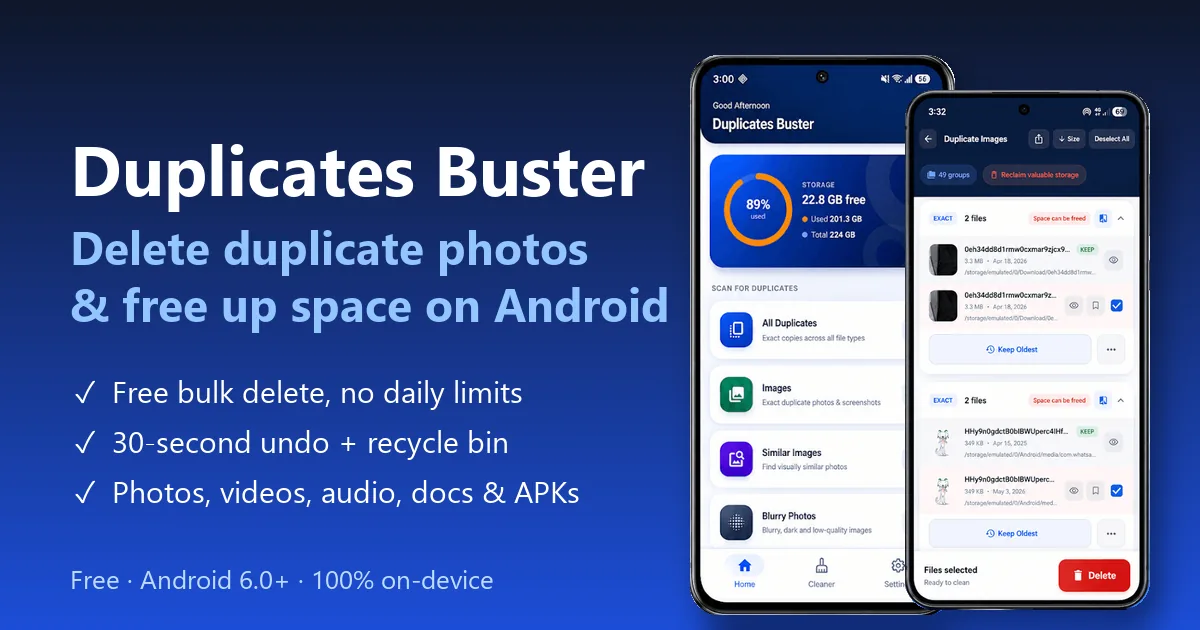
Duplicates Buster is a free duplicate file remover and phone cleaner made by Linksgroups Engine. It finds exact duplicates and similar photos across your whole phone, lets you compare them side by side, and deletes the copies in bulk, with a 30-second undo in case you change your mind. It works on Android 6.0 and newer, and everything happens on your phone.
How to delete duplicate photos with Duplicates Buster
- Install Duplicates Buster from Google Play. No account needed.
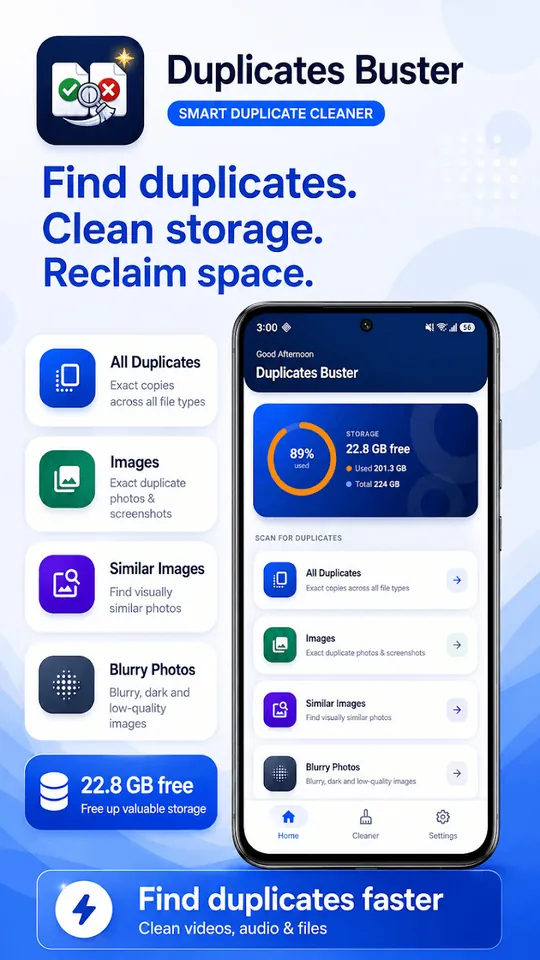
- Choose a scan type: Images for exact duplicate photos and screenshots, Similar Images for burst shots and edited versions, or All Duplicates to check every file type at once.
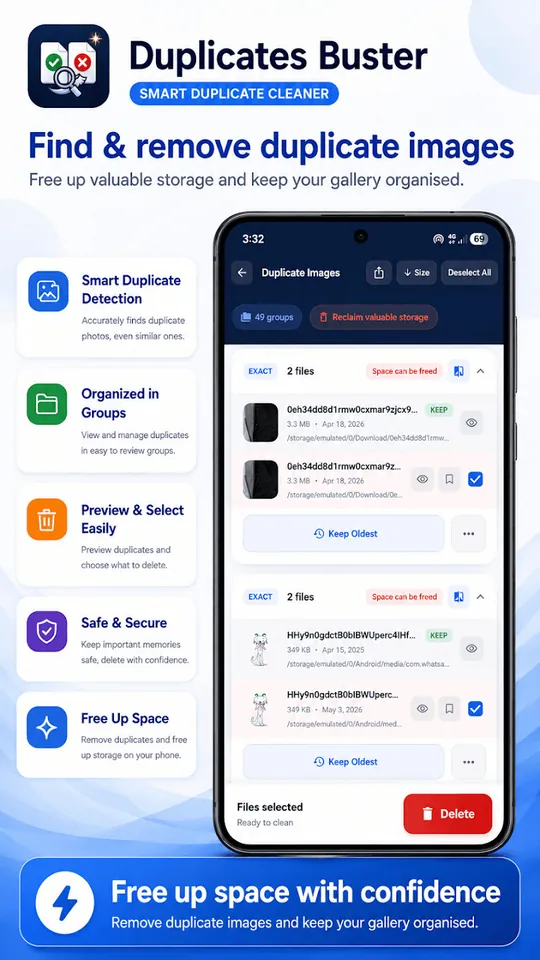
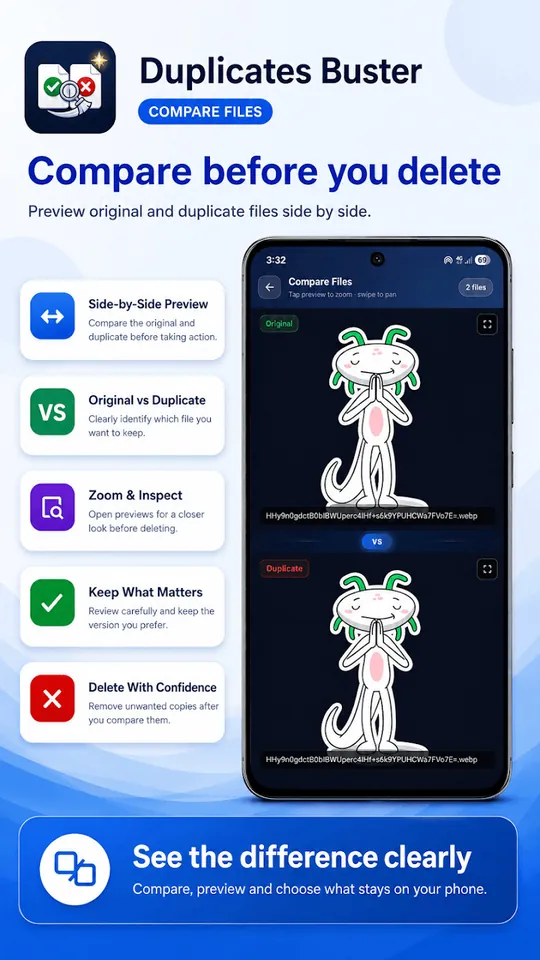
- Review the groups. Each group shows the original (marked Keep) with its copies already selected. Tap any file to preview it, or compare two photos side by side.
- Tap Delete. The copies are removed and you'll see how much space you got back. Changed your mind? Tap undo within 30 seconds, or restore from the recycle bin.
Why it's safer than deleting by hand
- The original is always kept: only copies are pre-selected, and you can choose to keep the oldest file in a group.
- Starred photos are protected: your favourites are never auto-selected for deletion.
- 30-second undo and a recycle bin: nothing is lost by accident.
- Side-by-side compare with zoom, so you can check similar photos before deleting.
- 100% on-device: your photos are never uploaded, there's no account and it works offline.
More than just photos
- Every file type: duplicate videos, audio and music, documents (PDF, Word, Excel, PowerPoint), APK installers, and custom file types you choose.
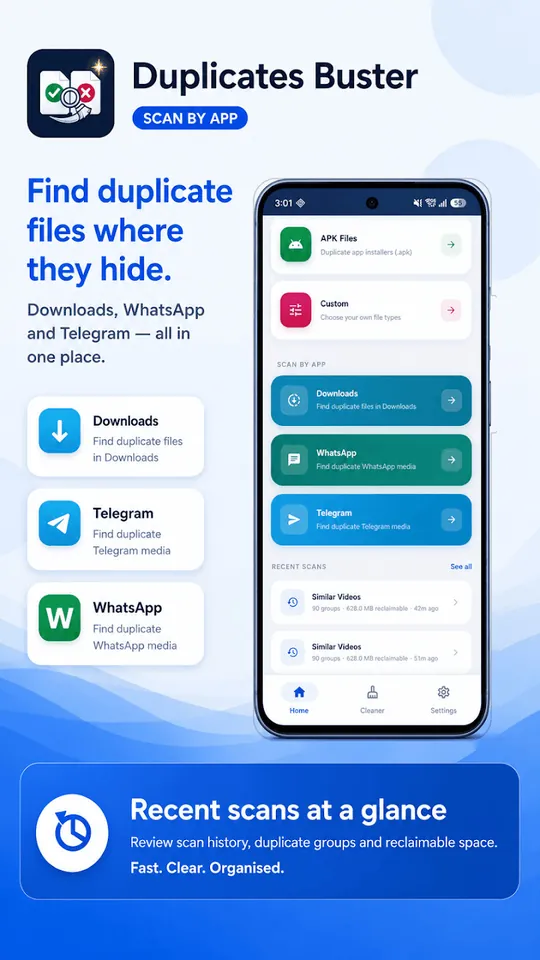
- WhatsApp, WhatsApp Business & Telegram cleaner: find duplicate media where it hides most. Downloads are covered too.
- SD card and USB OTG: scanned free, and the app remembers your access so you only approve it once.
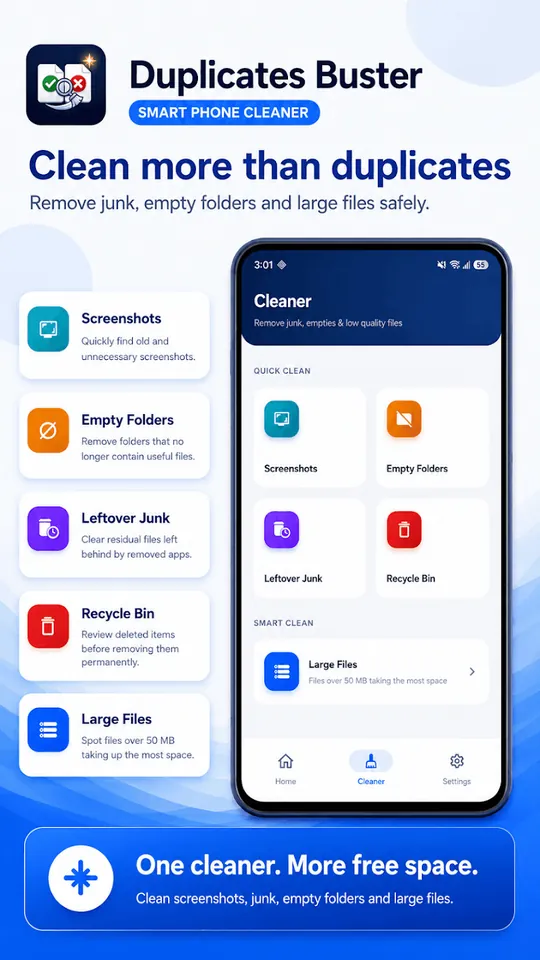
- Extra clean-up tools: blurry photos, old screenshots, empty folders, leftover junk and large files over 50 MB.
- Fast on big phones: handles 200,000+ files, and re-scans finish in seconds because it remembers your last scan.
Free up space with Duplicates Buster
Free bulk delete · 30-second undo · Android 6.0+
Quick comparison
| By hand | Files by Google | Duplicates Buster | |
|---|---|---|---|
| Finds exact duplicates | Only what you spot | Yes | Yes |
| Finds similar photos | Only what you spot | No | Yes, 3 free scans a month |
| Videos, audio, docs & APKs | Slow | Partly | Yes, plus custom types |
| WhatsApp & Telegram media | Hard to find | Partly | Yes, dedicated cleaner |
| Side-by-side compare | No | No | Yes |
| Undo after deleting | Depends on gallery bin | Trash folder | 30-second undo + recycle bin |
| Cost | Free | Free | Free (optional Pro) |
Tips to stop duplicates coming back
- Turn off WhatsApp media auto-download for groups: WhatsApp → Settings → Storage and data → Media auto-download.
- Clean WhatsApp and Telegram media once a month. They're the biggest source of copies.
- Delete burst shots straight away, keeping only the best one.
- Empty your Downloads folder of files you've already saved elsewhere.
- Star your favourite photos so cleaning tools like Duplicates Buster never select them.
- Scan your SD card too. Copies often end up on both internal storage and the card.
Frequently asked questions
Is it safe to delete duplicate photos on Android?
Yes, as long as one copy is kept. Duplicates Buster keeps the original in every group and only pre-selects the copies, protects your starred photos, and gives you a 30-second undo plus a recycle bin.
What is the difference between duplicate and similar photos?
Duplicate photos are exact, byte-for-byte copies of the same file. Similar photos look almost the same but are different files, such as burst shots, edited versions or photos forwarded on WhatsApp. Review similar photos before deleting, because you may want to keep the best one.
Can I recover a photo I deleted by mistake?
In Duplicates Buster, yes. Every deletion has a 30-second undo and goes to a recycle bin, so you can restore files before they are removed permanently.
Why do I have so many duplicate photos?
Common causes are WhatsApp and Telegram saving a new copy of every photo you receive or forward, burst shots, screenshots, files downloaded more than once, edited copies and restoring backups to a phone that already has the photos.
Does Duplicates Buster work on SD cards?
Yes. It scans internal storage, SD cards and USB OTG drives for free, and remembers your access so you only approve it once.
Is Duplicates Buster free?
Yes. Full scans, bulk delete with no daily limits, the WhatsApp and Telegram cleaner and all scan settings are free. Pro adds unlimited similar image and video scans, scheduled scans, storage trends, CSV reports and no ads.
Related guides
- How to Hide Photos on Android (Safely): 4 Ways Compared
- How to Lock Apps on Android: 3 Easy Ways (2026 Guide)
Final thoughts
Deleting duplicate photos is one of the quickest ways to free up space on Android, often several gigabytes at once. For a handful of copies, doing it by hand or with Files by Google is fine. To clean your whole phone, including similar shots, WhatsApp media and your SD card, Duplicates Buster does it in a few taps for free, with an undo if you need it.
Reclaim your storage today
Duplicates Buster: free duplicate photo remover & phone cleaner