How to Hide Photos on Android (Safely): 4 Ways Compared
Private selfies, ID cards, bank documents, personal videos: everyone has photos they don't want others to see when they borrow the phone. This guide shows you how to hide photos on Android the right way, and why the quickest method is often the least private.

"Hidden" vs encrypted: why it matters
There are two very different ways an app can "hide" a photo:
- Hidden: the file is moved to a hidden folder or marked so the gallery skips it. The photo itself is unchanged, so a file manager, another gallery app or a cleaner app can often still find and open it.
- Encrypted: the file is scrambled with a key that only the vault app can use. Even if someone finds the file, it can't be opened anywhere else.
If you're only hiding photos from a quick scroll through your gallery, hidden is fine. If you're protecting anything truly private, choose a method that encrypts.
Way 1: Hide albums in your Gallery app
Many phone gallery apps can hide an album. On Samsung, open Gallery → Albums → ⋮ → Hide albums. Xiaomi, OPPO, vivo and other brands have similar "hidden album" or "private album" options in their gallery settings.
Good for: keeping photos out of your main grid. Not good for: real privacy. Anyone who knows where to look, or who opens a different gallery or file manager, may still see the photos.
Way 2: Google Photos Locked Folder
Google Photos has a Locked Folder that needs your phone's screen lock to open. Photos you move there don't show in your photo grid, albums, searches or other apps. Find it in Google Photos under Collections → Locked Folder (or search "Locked Folder" in the app).
The limits: it uses the same PIN or fingerprint as your phone, so anyone who knows your screen lock can open it. It also lives inside Google Photos, so it's only useful if that's the gallery you use.
Way 3: Samsung Secure Folder or Android Private Space
Samsung's Secure Folder and Android 15's Private Space create a separate, encrypted area on your phone with its own lock. You can move photos and videos into it and view them with the gallery inside that space.
They're strong options, but they're only on some phones, and they feel like running a second phone: separate apps, separate settings and extra steps every time you want to add or view a photo.
Way 4: Use an encrypted vault app like Shieldra
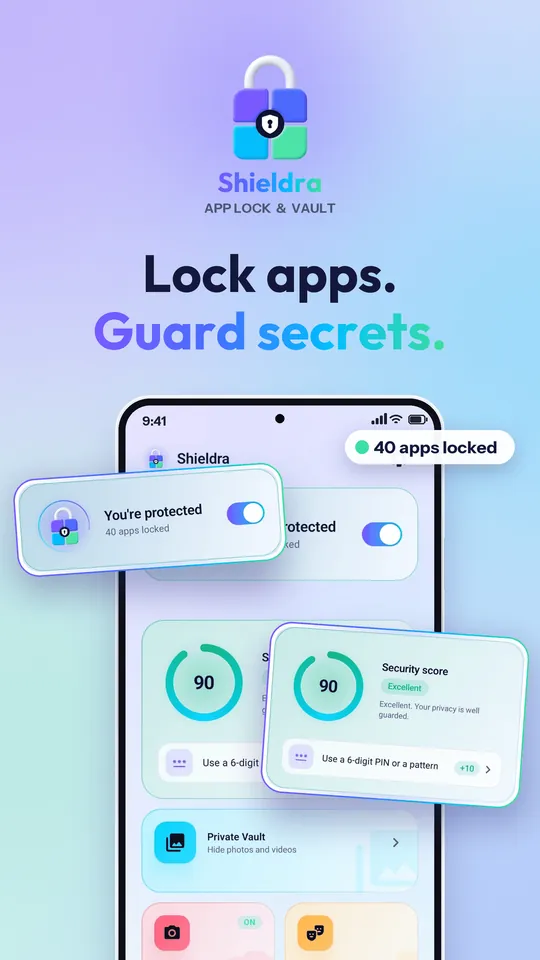
Shieldra is a free app lock and photo vault for Android 8.0 and newer, made by Linksgroups Engine. Its vault doesn't just hide your photos: it encrypts every photo and video with AES-256, with keys protected by the Android Keystore. Other apps, file managers and cleaners can't open them.
🎁 Limited-time offer: everyone gets 1 month of Shieldra Pro free: unlimited vault, no ads, all disguises and Smart Lock.
How to hide photos with Shieldra
- Install Shieldra from Google Play and set your PIN or pattern. Add fingerprint or face unlock if you like. No account needed.
- Open Private Vault from the Shieldra home screen.
- Add photos or videos and pick the ones you want to hide. Shieldra only gets access to the files you choose.
- That's it. The files are encrypted and disappear from your gallery. View them any time with Shieldra's built-in photo viewer and video player, or restore them to the gallery whenever you want.
Why a vault beats a hidden folder
- Real encryption: AES-256-GCM using Google's Tink library, not just a hidden folder.
- Screenshots blocked inside the vault, so nobody can capture your photos while you view them.
- Its own PIN: separate from your phone's screen lock, so someone who knows your phone PIN still can't open the vault.
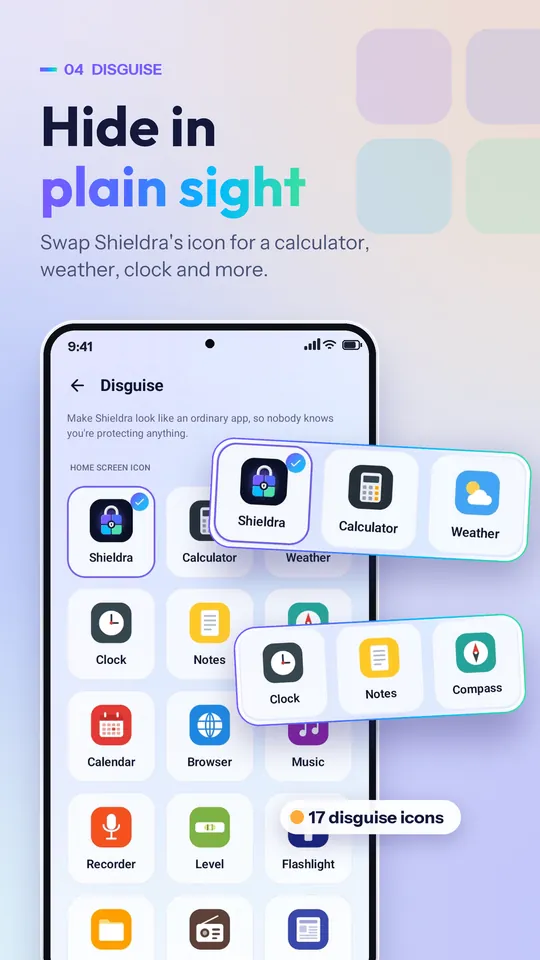
- Calculator disguise: the Shieldra icon can look like a working calculator. Type your PIN and press = to open it. Pro adds 14 more disguises, such as Weather, Clock and Notes.
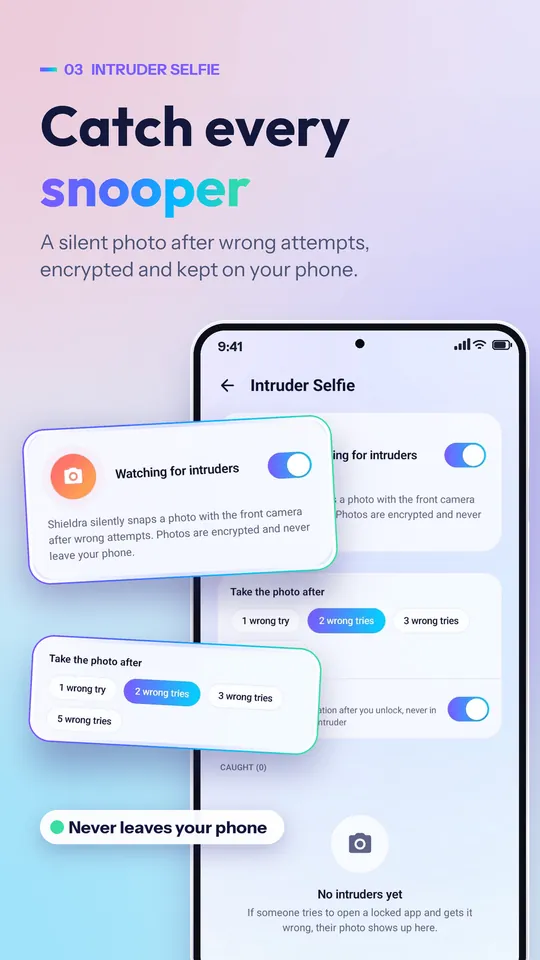
- Intruder Selfie: if someone enters the wrong PIN, Shieldra quietly takes their photo, and you only get the alert after you unlock.
- Lock your Gallery too: the same app can lock your Gallery, WhatsApp and any other app.
- Nothing leaves your phone: no account, no sign-up and no cloud upload.
- Free: the free vault holds up to 100 items; Pro makes it unlimited.
Hide photos with Shieldra
Free encrypted photo & video vault · No account · Android 8.0+
Quick comparison
| Gallery hide | Locked Folder | Secure Folder / Private Space | Shieldra vault | |
|---|---|---|---|---|
| Encrypted | Usually no | Protected | Yes | Yes, AES-256 |
| Own PIN (not your screen lock) | No | No | Optional | Yes |
| Works on every Android phone | Depends on brand | Needs Google Photos | Samsung / Android 15+ | Yes, Android 8.0+ |
| Hides videos too | Yes | Yes | Yes | Yes, with player |
| Screenshots blocked | No | Varies | Varies | Yes |
| Photo of wrong-PIN attempts | No | No | No | Yes, Intruder Selfie |
| Disguised icon | No | No | Can be hidden | Yes, calculator |
Tips before you hide anything
- Keep a backup of anything irreplaceable. A vault keeps files on your phone only. If the phone is lost or reset, they go with it.
- Restore files before uninstalling a vault app. With Shieldra, the encryption keys are removed with the app, so hidden files can't be recovered afterwards.
- Use a vault PIN that's different from your screen lock.
- Lock your Gallery and file manager too, so nobody can browse your other photos either.
- Set a security question so you can reset your PIN if you forget it. Shieldra has no hidden master password.
Frequently asked questions
What is the safest way to hide photos on Android?
Use a method that encrypts the files, not one that only hides them from the gallery. Google Photos Locked Folder, Samsung Secure Folder, Android Private Space and an encrypted vault app like Shieldra all keep photos out of reach of other apps.
Can other apps see photos hidden in the Gallery?
Often yes. Hiding an album in many gallery apps only removes it from that app's view. File managers, other gallery apps and cleaners may still find and open the files.
Can I hide videos as well as photos?
Yes. Shieldra's vault hides photos and videos, encrypts both with AES-256 and has a built-in video player, so you never need to move a video back to the gallery to watch it.
Will I lose hidden photos if I uninstall the app?
With Shieldra, yes: the encryption keys are removed with the app, so restore your files to the gallery before uninstalling. Shieldra reminds you about this.
Are photos in Shieldra uploaded to the cloud?
No. There is no account and no cloud upload. Vault files are encrypted and stay on your phone.
How many photos can I hide for free?
Shieldra's free version holds up to 100 items in the vault. Shieldra Pro gives you an unlimited vault.
Related guides
- How to Lock Apps on Android: 3 Easy Ways (2026 Guide)
- How to Delete Duplicate Photos on Android (Free, 2026)
Final thoughts
Hiding an album is fine for keeping photos out of a quick scroll. For anything truly private, use a method that encrypts the files and has its own lock. If your phone doesn't have Secure Folder or Private Space, or you want something simpler with an intruder photo and a disguised icon, Shieldra is free and takes under a minute to set up.
Keep your private photos private
Shieldra: free app lock & photo vault · 1 month Pro free (limited time)