How to Lock Apps on Android: 3 Easy Ways (2026 Guide)
Friends, family and kids borrow your phone all the time. In this guide you'll learn how to lock apps on Android with a PIN, pattern or fingerprint, so WhatsApp, your gallery and your banking apps stay private even when the phone is unlocked. None of these methods need root.
Why lock individual apps?
Your screen lock protects the phone, but once it's unlocked every app is open. That's a problem when you:
- hand your phone to a friend to show a photo, and they keep scrolling your gallery;
- let kids play a game, and they end up in your messages, Play Store or banking app;
- share a phone or tablet at home;
- keep private photos, ID documents or work chats on your phone.
Locking apps one by one adds a second check exactly where it matters, without making you unlock everything else twice.
Way 1: Use your phone's built-in options
Depending on your phone's brand and Android version, you may already have some protection built in. Menu names vary, so search your Settings for the terms below.
Private Space (Android 15 and newer)
Private Space creates a separate, locked area for apps. Apps you install there are hidden from the launcher and need your screen lock or a separate lock to open. Look for it under Settings → Security & privacy → Private space.
Samsung Secure Folder
On Samsung Galaxy phones, Secure Folder is an encrypted space where you can add copies of apps and files. Search Settings for Secure Folder (usually under Security and privacy).
Brand app locks (Xiaomi, OPPO, vivo, OnePlus and others)
Several brands include an "App lock" in Settings, usually under Privacy, Security or Apps. It lets you pick apps that need a password before they open.
The catch: these options are different on every phone, and many phones (including Pixel phones before Android 15) have no per-app lock at all. Private Space and Secure Folder also work with separate copies of apps, so you can't simply lock the WhatsApp you already use.
Bonus: app pinning for quick hand-overs
If you only want to lend your phone for one app, turn on App pinning (Settings → Security → App pinning, or search "pin"). The person can only use that one app until you unpin it with your PIN. It's handy, but you have to remember to pin every time.
Way 2: Use the lock inside the app
Some apps have their own lock. WhatsApp, for example, offers a fingerprint lock in its privacy settings, and most banking apps ask for a PIN or fingerprint on every launch.
This works well for one or two apps, but it has clear limits: most apps, including your Gallery, Messages, Settings and Play Store, have no lock of their own. You also end up with different PINs and settings in every app, and message previews can still show on your lock screen.
Way 3: Use a free app lock like Shieldra
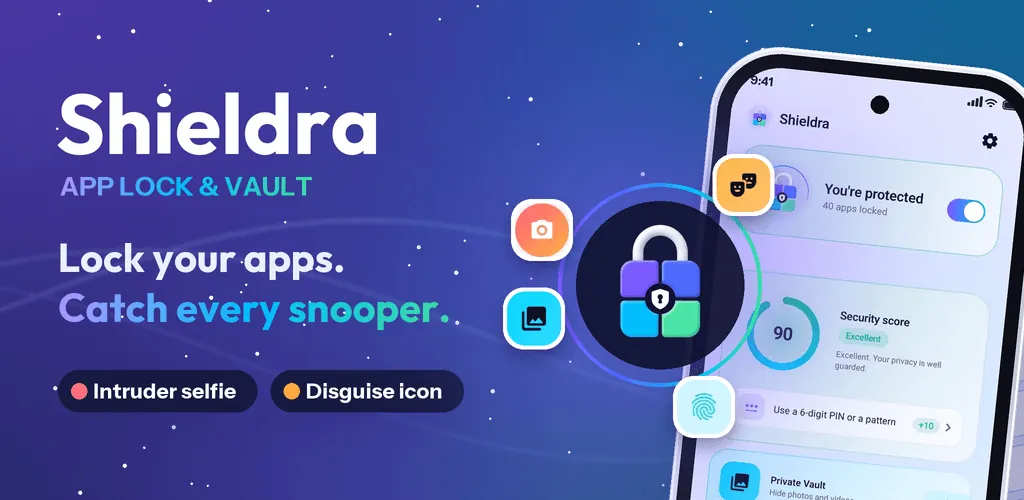
The simplest way to lock any app on any Android phone is an app lock. Shieldra is a free app lock and encrypted photo vault made by Linksgroups Engine. It works on Android 8.0 and newer, on Samsung, Xiaomi, OPPO, vivo, OnePlus, Huawei, Honor and Pixel phones, as well as tablets and foldables.
🎁 Limited-time offer: everyone gets 1 month of Shieldra Pro free: no ads, unlimited vault, all disguises and Smart Lock.
How to lock apps with Shieldra (under a minute)
- Install Shieldra from Google Play. No account or sign-up needed.
- Tell it why you're here: privacy, a shared phone, kids or hidden photos. Shieldra suggests the right apps to lock.
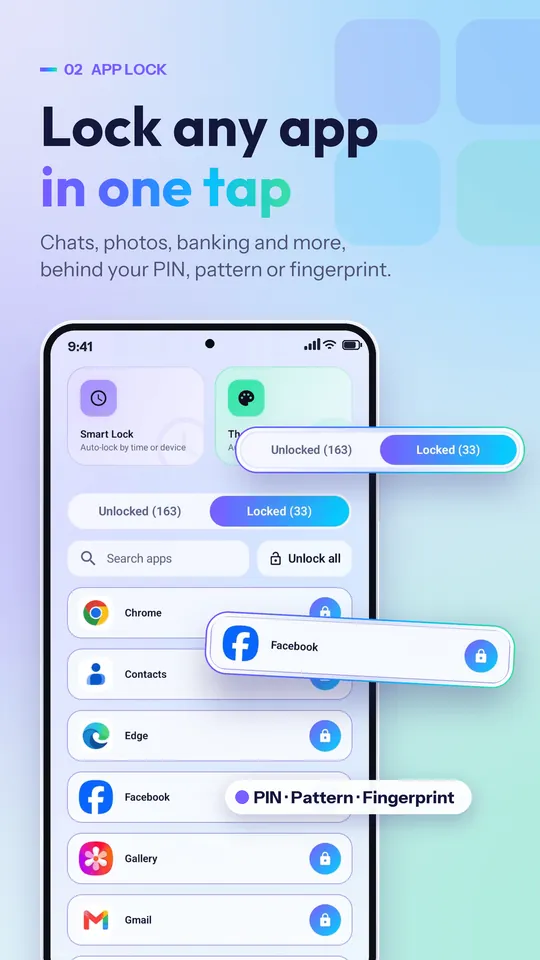
- Choose your apps: WhatsApp, Messages, Gallery, Instagram, banking apps, plus Settings and Play Store so nobody can uninstall the lock.
- Set a PIN or pattern, then add fingerprint or face unlock for speed and a security question in case you forget.
- Allow two permissions: usage access (to know which app is opening) and display over other apps (to show the lock screen). That's all it needs.
Done. The next time anyone opens a locked app, they'll see Shieldra's lock screen first.
What makes Shieldra different
- Lock unlimited apps for free with fingerprint, face, PIN or pattern.
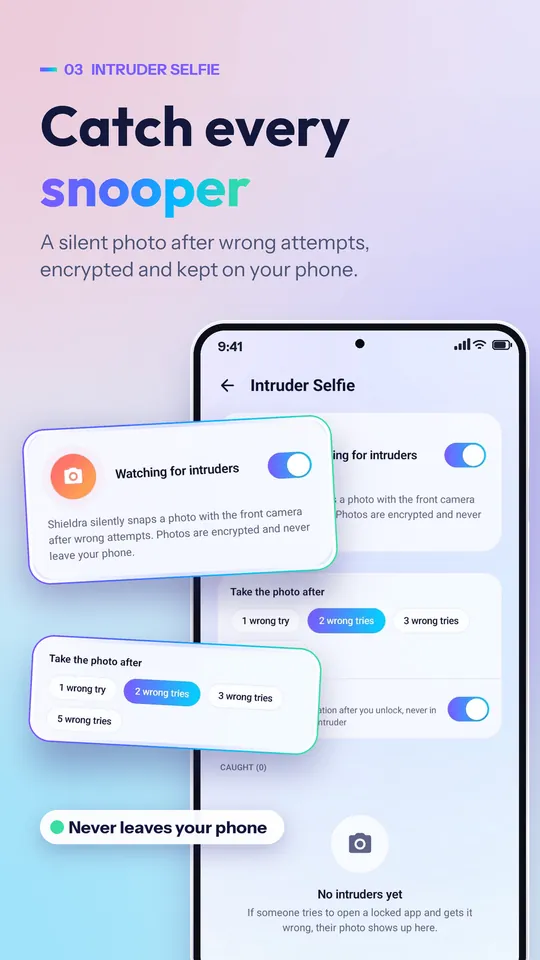
- Intruder Selfie: if someone enters the wrong PIN, Shieldra quietly takes their photo and shows you who, when and which app. It only alerts you after you unlock.
- Hide notifications: message previews from locked apps move to an encrypted private inbox; others only see "New notification".
- Encrypted photo & video vault: files are encrypted with AES-256, with keys protected by the Android Keystore. Many app lockers just move files to a hidden folder; Shieldra encrypts them, so file managers and cleaners can't open them. See our guide on how to hide photos on Android.
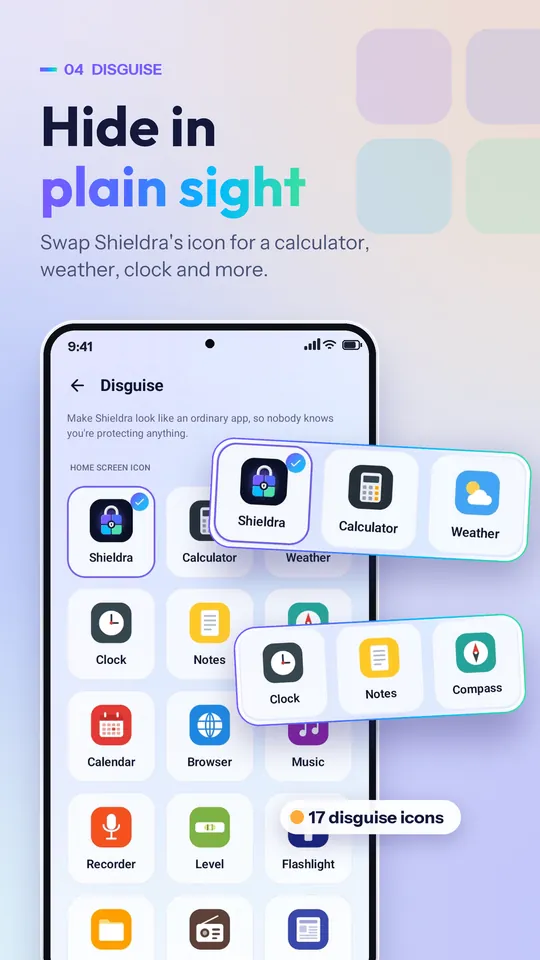
- Calculator disguise: the icon can look like a working calculator. Type your PIN and press = to open Shieldra.
- Anti-snooping: a shuffled keypad and invisible pattern stop people watching over your shoulder.
- New app alert: lock newly installed apps with one tap, and get a tamper alert if someone force-stops the lock.
- No Accessibility service, no account, no cloud. Shieldra never reads what's inside your apps or messages, and your files never leave your phone.
- Safe PIN recovery: reset with your phone's own screen lock or security question. There's no hidden master password.
Lock your apps with Shieldra
Free app lock & encrypted vault · No account · Android 8.0+
Quick comparison
| Built-in options | In-app locks | Shieldra | |
|---|---|---|---|
| Works on every Android phone | No, depends on brand | Only apps that offer it | Yes, Android 8.0+ |
| Lock the apps you already use | Sometimes | Yes, one by one | Yes, any app |
| Lock Gallery, Settings & Play Store | Sometimes | No | Yes |
| Photo of wrong-PIN attempts | No | No | Yes, Intruder Selfie |
| Hide message previews | Partly | Partly | Yes, private inbox |
| Encrypted photo vault | Secure Folder / Private Space | No | Yes, AES-256 |
| Cost | Free | Free | Free (optional Pro) |
Tips to make your app lock stronger
- Lock Settings and Play Store too, so nobody can uninstall the app lock or change permissions.
- Turn off battery optimisation for your app lock. Some brands pause background apps; Shieldra guides you through each brand's battery settings.
- Use a PIN that's different from your screen lock, so someone who knows your phone PIN still can't open your chats.
- Relock when the screen turns off rather than after a delay.
- Restore vault files before uninstalling. The encryption keys are removed with the app, so hidden files can't be recovered afterwards.
Frequently asked questions
Can I lock apps on Android without root?
Yes. Built-in options such as Private Space or Secure Folder, in-app locks, and app lock apps like Shieldra all work without root.
Does Android have a built-in app lock?
Some phones do. Android 15 and newer offer Private Space, Samsung has Secure Folder, and brands such as Xiaomi, OPPO, vivo and OnePlus include an app lock in Settings. Names and menus vary by phone, and many phones have no per-app lock at all.
How do I lock WhatsApp with a fingerprint?
WhatsApp has its own fingerprint lock in its privacy settings. If you also want a PIN or pattern, an intruder photo and hidden message previews, use an app lock like Shieldra.
Is an app lock app safe to use?
Choose one that needs no account, does not upload your files, and does not use the Accessibility service. Shieldra keeps everything on your phone, encrypts the vault with AES-256 and never reads what is inside your apps.
What happens if I forget my app lock PIN?
In Shieldra, tap Forgot PIN on the lock screen and confirm with your phone's own screen lock or your security question, then set a new PIN. There is no hidden master password.
Is Shieldra free?
Yes. Shieldra is free with ads and locks unlimited apps. Shieldra Pro is an optional subscription that removes ads and adds an unlimited vault, all disguises and Smart Lock.
Related guides
- How to Hide Photos on Android (Safely): 4 Ways Compared
- How to Delete Duplicate Photos on Android (Free, 2026)
Final thoughts
If your phone has Private Space, Secure Folder or a brand app lock, it's a good start. If it doesn't, or you want to lock the apps you already use, see who tried to get in and hide private photos properly, a dedicated app lock is the easiest option. Shieldra sets up in under a minute and the core features are free.
Keep your private life private
Shieldra: free app lock & photo vault · 1 month Pro free (limited time)